Tuesday, May 12, 2009

Wallstalking presentation

I've been mostly busy cooking over at the wallstalking site and in our class blog recently. Here are the slides I made for the Integrating Technology for Instruction and Learning ning group.

Wednesday, March 18, 2009

Starting a graffiti project

Rita and I are launching a graffiti project called Listen to the Walls Talking. Anyone interested is warmly invited to join in. The project site, wiki and Flickr group have just come alive.

The idea behind the project is to collect and share graffiti. If other interested teachers, students, people spread across the cyberspace respond by posting graffiti photos and related info, this could turn into a nice project of the wall/s/talking in our schools, streets, towns, countries, world. Sketches, squiggles, doodles and other more sophisticated street art around us is the part of public spaces usually walked by, unnoticed by people.

Collecting graffiti from our walls, desks chairs and sharing them could provide us with a picturesque collection of expressions of wisdom/boredom/enthusiasm/dissatisfaction etc. from different places. This could perhaps be revealing in quite unexpected ways and could provide us with many interesting possibilities for further interpretations, explorations and manipulations.

This project is open to anyone interested, and will run for as long as there is interest. Anyone is invited to join in (individuals, teachers, classes, students...) and/or help spread the word.

There's not much to be seen yet, what is there is the result of the warm response of my friends (Rita, Kay, Vida and last but not least my Miha, who kindly created the site (said he needed an excuse for fooling around with some new toys... will need to give him more suggestions for excuses in the future ;-)).

Please have a look here and/or here, tell me what you think, and feel free to join in and help spread the word. The more, the merrier :-).

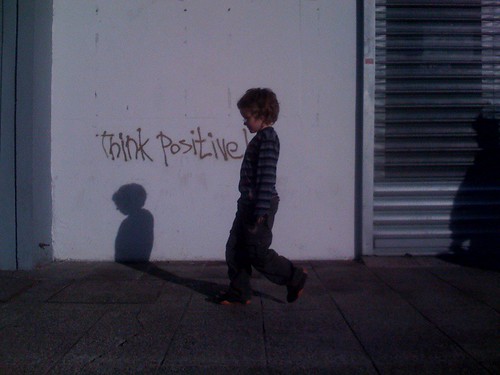
Think positive

Monday, March 09, 2009

Spring is here!

Just spent a lovely half an hour in my backyard - watched my Tevž fight an imaginary battle on his pile of sand, reading and basking in the afternoon sun. When the last rays of sun hid behind the block facing ours, I noticed a young blackbird perched in the still dormant branches of my wild trumpet vine.... Kind of liked the view, had my phone at hand and took this photo.
Spring is here!

Saturday, February 28, 2009

Magic Mostovna

Spent a fun afternoon at Mostovna with my boys. A magician performed tricks for the local scout group - taborniki. He revealed some of his secrets and also gave away one or two of his cute rabbits to the kids. Here's another Picasa collage.
From Kolaži

Friday, February 27, 2009

Interactive whiteboard


My school bought 2 (or 3, not sure) SMART boards (680V) so I am having a look at it. Teachers were invited for a 2-hour demonstration of how it works awhile ago but I was only able to be present for the first half an hour, and am exploring the basics via Google now. The SMART board is now in a conference room at school so interested teachers can try it out. Problem? There is just the whiteboard there, so if you want to fool around with it you need to bring your laptop, install the software, find the cables and projector to get the thing going.
M helped me out, we had a peek. First impressions?
- looks nice, turned it on, calibrated it and tried the basic writing tools. Felt a bit clumsy for writing - could be because I used my finger instead of the appropriate pen (need to find one).
- also noticed you need to be careful where you stand and how you move - not to come between the projector and the SMART board or trip over the USB cable.
Want to explore it more. Need to check how people use this in class, see how it could be of use to me.

Wednesday, February 25, 2009

E-portfolio step 2


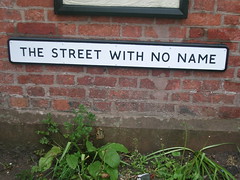
What? No name?!?
Originally uploaded by Gene Hunt
With the Digifolios evo workshop still ringing in my ears, I was thinking of my step 2 towards e-portfolio (about time after successfully completing week 1 task 4 weeks later ;-)).
I had a look at my blogging places - there are many more than I need considering I write an occasional blog post here and there. I decided to rename 2 of them. My blog has to have a name that means something to me. I happened not to think much when opening some of my blogs (did it as a workshop task, part of a project...) and it's a shame. I could forget now about these poorly named sleeping blogs, see many people do that, but I kind of like to keep my stuff, repurpose it if necessary, but not delete it or leave it forgotten out there.
When I opened my first blog, I named it cyberattic after thinking a bit - my grandma's attic was one of my childhood's favourite exploratory hideouts. It is long gone now, and I don't have a single picture of it. :-( So I like this name, makes me feel comfortable.
This blog is my number 2, obviously named similarly to number 1, but this time after a place in my home - cyberkitchen. Like it too.
I am therefore extending this kind of nomenclature to the other previously poorly named places I occupy too - my classblog and a wordpress blog opened at last year's EVO for the purposes of the SMiELT workshop. From today on Cybermill and cybergarden. Now these blogs sound more like one family and I'm happier about them.
Step 3? Rounding up all my cyberspots, like Flickr, YouTube, Twitter, FB, Nings, wikis etc. trying Netvibes as my cyberhub. That's how I'm going to call it - Saša's Cyberhub. No more empty names.

My Batman

Heh, heard abot BeFunky.com via joaoa and did this:


It's a photo of my Tevž dressed as Batman turned into a comic. It's literally just a few clicks... simple and fun. There are many other effects too. The original photo is in the collage below.

Tuesday, February 24, 2009

Carnival in Gorica

Shrove Tuesday carnival came to town, yaay! Made a collage using M's photos and Picasa.

Sunday, February 22, 2009

My 'Becoming a Webhead'

Made my first video for my Digifolios EVO session a little bit more than a week ago. We were asked to share our stories of our first online learning experience (this was in week 1, I did it, much much later though, in week 5). I knew the topic of my story - my becoming a webhead, but was unsure how to go about it and was thinking quite a bit about it in the back of my mind.

Inspired by a lovely time lapse video I finally decided to type my story and then play it at faster speed together with some photos and music. I knew this can be done easily in Camtasia so I just started putting things together; I recorded my 'typing of the story' in MS Word, picked some photos from my photo album, bookmarked some relevant webhead websites and photos - had a look at the thing, saw it needs rethinking, was too much of everything...

So I started throwing things out, thinking about the music to go with it and remembered Michael Coghlan's wonderful A Webheads Theme Song. I got his kind permission to use it, so I went on searching for images of the internet, tools, web 2.0... When I stumbled upon images of web 2.0 logos these brought to my mind the webheads faces collage from Vance's website - I liked the tools vs. people opposition on the two images so I made it central in the video.

Needed to rerecord a shorter version of my typing (less IS more!). Grabbed more photos from Flickr group to add faces to the story and fill the whole length of Mike's song - would be a crime to cut it up. Loved the result - Mike's song and the faces were great together. Almost too good - felt like my lurking self doesn't quite belong there... Carla's collage too was perfect for conclusion. Asked my M what he thinks - helped improve transitions and photo sizes, suggested to stick to my natural snail-paced typing. Listened to him, always do. ;-)

Titled it From Learning to Teach to Learning to Learn; Becoming a Webhead.

Here it is:


Webheads liked it, dropped nicest comments in the world - in Slovene too! :-) Even though I played with their photos and only asked if them if they minded it afterwards... Needless to say, they didn't. So, thank you, Webheads dear. Webhead Michael in particular.

Wednesday, January 28, 2009

Week 3 Slideshows

This week's task was to explore BigHugeLabs slideshow, Animoto and Slideshare. So far I've used Slideshare, Flickr and Picassa slideshows. Animoto and BigHugeLabs are new to me. Here are my examples:

1. My BigHugeLabs 'Glimpses of Slovenia' slideshow:
View slideshow
I chose the topic because I already had a set in Flickr, and I wanted to compare the Flickr slideshow and the BigHugeLabs slideshow – kind of like better the Flickr one, because it has the full-screen option ( see http://www.flickr.com/photos/7920247@N04/sets/72157603036788662/show/)

2. My Animoto 'Circus in Town' slideshow:

http://animoto.com/play/tAvqx5ugdLbmNAgG9BotJQ?autostart=true
I had some problems to make the embed code from the site work here.
I chose this topic because I thought it would go well with the music and lively Animoto transitions… Was kind of surprised to see how quickly 30 seconds end – I uploaded 15 photos, set the timing at middle pace but only the first 5 or 6 photos are shown and the rest was cut off.
Since it took me awhile to reduced the number of photos from 30 to 15 I was kind of disappointed to see only a fraction of the photos shown, so I resorted to good old Flickr and created a flash badge using my 'circus' tag - but the embed code does not work here for some reason.


www.flickr.com


This is a Flickr badge showing public items from SasaSi tagged with circus. Make your own badge here.


Another option is to create a Flickr slideshow using the tag, but the down side of this is you can't arrange your photos, they are shown in the order they are uploaded. Creating another set unfortunately is not an option for me, because I have a free account and I've already reached the limit of 3 free sets.

http://www.flickr.com/photos/7920247@N04/tags/circus/show/

3. My Earth Day slideshare:

I did this slideshow to celebrate Earth Day last year and promote the Earthcast project. I used creative commons photos from Flickr together with quotes from here and there and posted it to my class blog.

My comments:
I like best Flickr slideshows. It's a pity they are limited to 3 sets. BigHugeLabs are nice and simple to create but I miss the whole screen view of photos.
Animoto is cool, but 30 seconds is very very little time. I had the feeling that the example videos shown in this group lasted longer… I guess this was a paid service. I like Animoto because it adds sound and movement, videos are dynamic and energetic… Good to use with a small number of photos.
Slideshare is nice for ppt viewed in landscape mode. When I used it for sharing photos, I hated the fact that the layout of the presentation does not follow the layout of the ppt – so if you use portrait layout a whole lot of space is wasted, which is a shame. I also like the fact that you can add audio here – haven't tried it yet, but it's cool.
For me it would be great if Flickr slideshow offered some more options for various transitions and also to upload audio. They look neat and it's cool to have everything in one place. I guess going Pro is the solution.

Friday, January 23, 2009

Where are you from?


origins
Originally uploaded by SasaSi
I'm not much of a poet... but here's another week 2 task from the Images4Education EVO session :-).


I am from toy cars, lego bricks, paper, paints and brushes,
from computers, cables, gadgets,
from pots and pans and steaming stew,
from violets, pansies and mimosa.

Thursday, January 22, 2009

Homework


motivator1327398
Originally uploaded by SasaSi
One of my Images4Education week2 tasks. I'm very happy to have learned about so many great Flickr tools and ideas.

Monday, January 12, 2009

Electronic village online 2009 started


TESOL's wonderful EVO sessions started today. They bring together language teachers from all over the world. I can't resist coming back year after year. It's the place where I'm comfortable learning about technology. I'm not an expert, just an English teacher. So it often happened when I attended such sessions at home, in real life, that I returned empty, disappointed, confused....because in my country it is mostly techies giving workshops to teachers. They concentrate on various technical details and features, leaving out the most important part - the pedagogy, hands-on experience, practical use in class...
Well, EVO is different. It's from teachers to teachers. It's hands on. It's useful. It works. It's free. I love it. I can't help coming back year after year. This one is my 4th.
Together with Monica, a wonderful English teacher from Brasil, I moderate week 1 in Becoming a Webhead (there are more than 150 participants already). I also signed up for Images for Education and Digifolios and Personal Learning Spaces. We'll see how much of this I'll be able to keep up with. The mind is willing but the flesh is weak ;-).

Saturday, June 07, 2008

Moodling in Koper

Yesterday I attended 'moodle.si' conference in Koper, Slovenia. The event was organized by Faculty of Management Koper, School for Headteachers, Artesia, and Open Source Center - Slovenia This was the second time this conference was held there, the previous one took place in May last year but I somehow missed it. I thoroughly enjoyed meeting other Slovene moodlers. Presenters focused on various aspects - technical requirements, settings, usage, m-learning, testing students' knowledge, apps to use for subjects such as maths or chemistry, etc. A Slovene Moodle community is slowly being built up. Great!
J. Čač from the Ministry of Education talked about what the ministry does to encourage teachers to develop and use e-materials and e-classrooms. They plan to set up exemplary e-classrooms for primary and secondary school subjects so teachers could get a better idea how to use Moodle. Good. I remember how we plunged into Moodle some 3 or 4 years ago at our school. Had a quick few hour course to walk us through the technical part and ended up with a pretty vague idea how to fill up our classrooms... Technology is good, but you also need to know how to use it, the methodology. I am greatly indebted to my Webheads here for putting my feet a bit more firmly on the cyber ground.
The international part of the conference was fun too. V. Sulčič and P. Purg talked about their experience in using Moodle for e-learning, teacher and tutor-training, etc. C. Surridge from Korea, G. Rossini from London, England, and Daniel Livingstone, also from UK, talked about Sloodle, a Moodle module for organizing and tracking Second Life interactions. They all presented in Second Life, the event was hosted by Rockcliffe University. It was possible for F2F audience to participate in the Second Life backchat through the Sloodle WebIntercom. My iPhone unfortunately refused to log me in the chatroom, complaining I've got too many windows open... Eh.

Saturday, March 15, 2008

Reflecting a bit on learning, connecting...

I just heard from a dear friend. She apologised for being just a lurker at BaW, feeling a bit bad about it... I was a lurker at SMiELT this year... (also feeling a bit bad about it honestly)... It just happened so that I had so many things on my mind that I simply felt too overwhelmed to get involved more actively... so I kind of helped at BaW during week 1 but didn't do much else really... I thought I had kind of internalized the webheads attitude that it's not worth taking things too seriously and ambitiously and then feeling bad about falling behind or giving up... that it's more important to have fun and enjoy doing what you do... to have fun and learn... you never really miss things this way... EVO goes on for 365 days a year in the Webheads world. ...you respond when you can, do what you want, follow what you like, help as much as you feel you can... Things run smoothly thanks to the many dedicated webheads who are always out there, keeping the ball rolling... there are never bad feelings, nagging, words of reproach... no hierarchies or internal divisions... I like it immensely how all teachers (primary, secondary, tertiary) find themselves at home here.
I started teaching in a secondary school in Slovenia and then moved to a primary school and later to college... I feel this hierarchy present here and it kind of bothers me... hope things will change in time. Thankfully our SDUTSJ group is taking the direction of bringing together Slovene teachers. There's no use in making divisions according to the level you teach - teachers can learn so much from each other if they learn to share ideas, doubts, problems, solutions... It's not so much the 'what', the contents, the curriculum connecting the teachers, it's more the 'how', your approach to learning, to teaching...
I'm starting to see thing differently as a learner and as a teacher after fooling around with the Webheads for awhile... I used to complain about the diverse level of English in my classes... Now I don't. Everyone can contribute in this multiliteracy world... even weaker students can create impressive contents...if they want to.

Tuesday, February 26, 2008

Foggy Tuesday

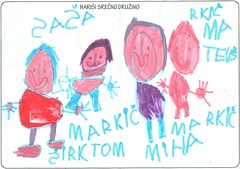
Children have winter holidays this week. We are at home. Tom is sleeping, Tevž is drawing. He has drawn our family.


Heh, and this is us a year and a half ago, in my old blog:
http://sasasirk.edublogs.org/2007/01/25/my-b4b-week-2-task/
I seem to open a new blog every EVO season; here's this year's one opened within the SMiELT group (pretty empty for now).

Wednesday, February 06, 2008

Microsoft and Yahoo and Aesop


I came across a lovely lesson plan at english360 blog, which involves exploration of parables in class and drawing parallels between 'the frog and scorpion' story and the recent Microsoft's bid for Yahoo. I like it.

Wednesday, January 23, 2008

Threader works with Gmail too

I have just successfully tested Miha's threader using the source of a YG daily digest from Gmail.

Important: Yahoo Group mail preferences have to be set to 'fully featured' daily digest (Edit memebership> step 3>daily digest>fully featured) and the source you get should be readable by threader regardless of the client you use - all you need to figure out is how to get the source in your client).

The clients successfully tested so far have been Outlook (described in the previous post) and Gmail.

How to get xml file in gmail :
1. open the digest in your gmail inbox
2. in the top left corner of the message window there is an option 'reply', click on the arrow next to it and you will find the option 'show original' in the menu(or 'view original', something like this), click on it and voila - you've got the xml file.

Outlook is not a prerequisite for using threader. Gmail works just as good, so should others but these haven't been tested yet, any feedback is therefore warmly appreciated if you are testing this program.

Saturday, January 12, 2008

Threading again

I’m doing Pre-Session and Week 1 Threads this year in BaW08. I’m using the program Miha kindly created to help me out last year (see http://sasasirk.blogspot.com/2007/02/threading-week-5-in-baw.html if interested in how it started).
The program is available at http://cs.rthand.com/webheads/bawthreader/

Miha blogged about it here.

What the program does:
• extracts all the necessary information from my Outlook's digests (message No., author, contents),
• allows to easily sort and group these messages (into groups, between groups, and within the group),
• allows to easily clean the messages (automatic removal of line breaks within the selected paragraph and automatic marking of hyperlinks) ,
• allows to easily add links to photos (database of authors is generated automatically, I need to enter links to photos in this database - this info is then linked to all the posts made by the same author),
• allows to easily adapt the width of columns,
• in the end generates the code which can then be simply exported, copied and pasted into the wiki using classic editor.

How it works?
Threader works with reader's digests from MS Outlook (should also work with other email clients, but has not been tested; you basically need to use the message source i.e. unformatted message).

1. Install and run the program

2. Copy reader digest’s source
To do this in Outlook:
- double-click the digest so that it opens in a separate window
- selecting Other Actions>View Source from the message toolbar
- select all and copy the contents (Ctrl+A, Ctrl+C)

3. Go to the program and click 'Parse' in the taskbar- now you should see all the digest's messages in the top window (if you don't see them, that's a problem :-( ).

4. Select a message in top window, determine its level 1 and 2 groups (in the two textboxes by writing/selecting the name there - e.g. 'Week 3 Tools' and 'Blogs' ) and click the 'add' buton; (group names can later be edited by clicking 'groups' button and editing the name; a message, which has already been sorted can also later be assigned a different group by clicking the group name at the bottom of the bottom right window),

5. Threader fills all the required cells itself – the added message is visible in the bottom left window – message #, reply to #, date, author, contents, group) (if you've added the message to the wrong group, you can remove it using 'remove' button, the delete key, or change its group as described before in pt. 4).

6. Once the message is added to a group, find it and select it in the bottom left window - it's contents should now appear in the bottom right window. Clean the text using the 'break' button for cleaning line breaks and the 'hyperlink' button for marking the hyperlinks appropriately.

7. If necessary, move the selected message (bottom left window) up or down the group using 'up' and 'down' buttons.

8. When all the messages are done this way, click 'tables' in the menu, choose 'groups' button and determine the desired order of groups/tables using 'up' and 'down' buttons. You can also edit the group names here if necessary. When happy with this, click 'close'.

9. Click again 'tables' in the menu, choose 'authors' button and add links to photos to the authors database and the correct display of names if necessary (authors might sometimes not be recognized as the same persons, which means that you will have to add the photo link more times). When happy with this, click 'close'.

10. Save the file.

11. Click export, check the results, if happy with them, click 'copy' button, go to wiki / other HTML editor and paste the code. You should get the table of contents and the tables with messages and back-to-top links. All cells should be filled in appropriately. If not happy, return to the threader and correct whatever bothers you (e.g. columns' width is adjustable after clicking 'settings' button in threader menu...) and repeat the export procedure.

12. The threading part is thus done - what is yet missing is the introductory table with info about the weekly threads – copy it from one of the previous weekly threads pages and insert the code where it fits.

That’s all folks. Let us know if you try it out. Happy threading. :-)
Thursday, December 27, 2007

EVO 08 Coming

I’m copying below Dafne’s invitation to join this year’s TESOL Electronic Village Online, a series of free 6-week online workshops. I first heard about EVO sessions about two, three years ago after just missing the 05 event. I joined one of the sessions despite being too late for the main action, explored resources a bit, and decided to definitely return in time for the next round. In 06 I took part in ‘Becoming a Webhead’ and this year in ‘Becoming a Webhead’, ‘Blogging for Beginners’, and ‘ESP Potpourri’. I very much enjoyed them all. Learning collaboratively with and from other educators from all over the globe is simply great (especially for couch potatoes like me ;-)). It importantly influenced my view of teaching and learning and I’m definitely coming back for more this January again. :-) Here's Dafne's invite:
Dear all,
The CALL Interest Section of the international TESOL professional association is pleased to offer the opportunity to participate in the Electronic Village Online (EVO) 2008 season. This is a professional development project and virtual extension of the TESOL 2008 Convention in New York. The intended audience for this project includes both TESOL 2008 participants
and those who can participate only virtually.

You do not need to be a TESOL member to participate in a free , six-week , wholly online session of the EVO, Jan 14 - Feb 24, 2008. Please visit our Announcement Page to select one or two among the various offerings.

http://evo08sessionscfp.pbwiki.com/FrontPage#Sessions2008

Feel free to distribute this annoucement.

Looking forward to having you in the EVO 2008 sessions,

Yours in TESOL ,

Dafne Gonzalez
On behalf of the EVO coordination team